PHP 8.2 End of Life on 31 December 2026: What to Do Now

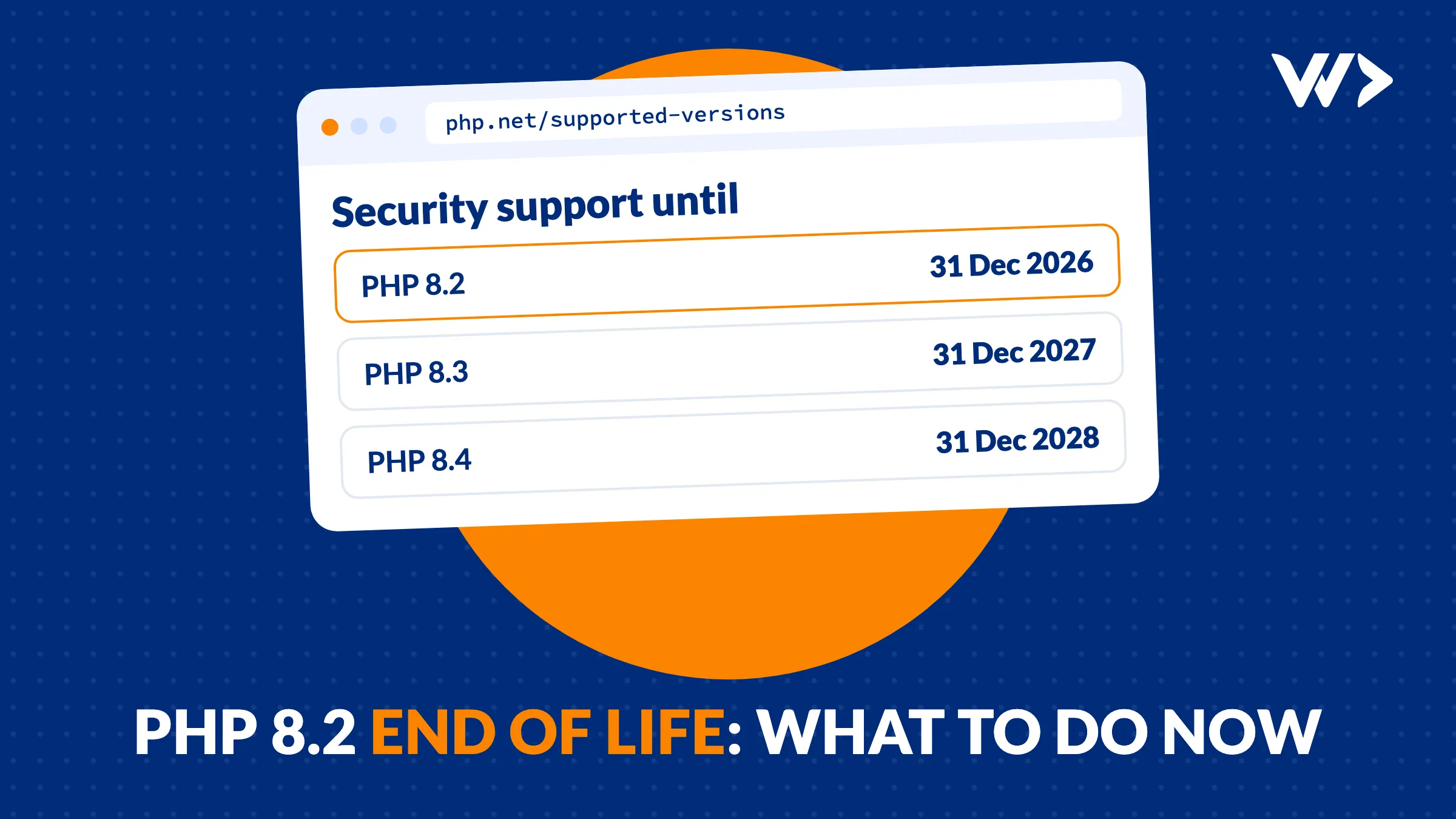
PHP 8.2 reaches end of life on 31 December 2026. After that date the PHP project releases no more security fixes for it. Your site keeps running, but the next serious PHP bug, like PHP2Shell in October, will not be fixed for 8.2. The answer is to move to PHP 8.4 (security support until 31 December 2028), or to 8.3 (until 31 December 2027) if a plugin or framework you depend on is not ready for 8.4. For a WordPress site with up-to-date plugins this is usually a few hours of testing. Old custom code, abandoned plugins and Docker images take longer, so start in November, not on 30 December.
What end of life means, and what it doesn't
- Your site does not stop on 1 January. PHP 8.2 keeps working. What stops is the supply of fixes from php.net, and the official Docker images stop getting updates.
- The risk grows over time. Every security bug found in PHP after 31 December stays open on 8.2. In October 2026, PHP2Shell showed how fast that matters: attacks started the day the fix came out.
- Your host may move you. Many hosts switch sites to a newer PHP version after end of life, sometimes with little notice, and some charge extra to keep an old version running. A forced switch on a site that was never tested is how you get "There has been a critical error on this website".
- Linux distributions are a special case. Some distributions keep patching their own PHP 8.2 package for as long as they support the distribution itself. If your server runs PHP from your distribution's packages, check that distribution's security tracker. This does not apply to php.net builds, the official Docker images or most hosting panels.
PHP versions and their end dates
| Version | Released | Bug fixes until | Security fixes until |
|---|---|---|---|
| PHP 8.1 and older | 2021 or earlier | Ended | Ended (8.1 on 31 December 2025) |
| PHP 8.2 | 8 December 2022 | Ended 31 December 2024 | 31 December 2026 |
| PHP 8.3 | 23 November 2023 | Ended 31 December 2025 | 31 December 2027 |
| PHP 8.4 | 21 November 2024 | 31 December 2026 | 31 December 2028 |
| PHP 8.5 | 20 November 2025 | 31 December 2027 | 31 December 2029 |
Each PHP version gets two years of bug fixes and then two years of security fixes only. If you run 8.1 or older, you are already without fixes: plan that upgrade first.
Which version should you move to?
- PHP 8.4 for most sites. It is supported until the end of 2028, so you don't repeat this exercise next year. WordPress 6.8 and newer support it.
- PHP 8.3 if something blocks 8.4. An old plugin, a theme or a library that hasn't been updated. It buys you one year, until 31 December 2027.
- PHP 8.5 if you're starting fresh or your stack is current. WordPress supports it from 6.9; Laravel 12 and 13 support it. Many plugins are tested on it later than on 8.4.
For Laravel, the PHP version and the Laravel version go together. Laravel 11 runs on PHP 8.2 to 8.4 but its own security fixes ended on 12 March 2026. Laravel 12 runs on 8.2 to 8.5, with security fixes until 24 February 2027. Laravel 13 needs PHP 8.3 or newer. An app on Laravel 10 or 11 is a good moment to move both.
Check which PHP version you run
- WordPress: Tools, Site Health, Info, then the Server section shows the PHP version.
- Hosting panel: cPanel, Plesk, DirectAdmin and most managed hosts show it under PHP settings or "Select PHP version".
- Your own server:
php -von the command line. The web server can use a different version than the command line, so also check aphpinfo()page, and delete it straight after. - Docker: look at the
FROMline in your Dockerfile (for examplephp:8.2-fpm), or rundocker run --rm your-image php -v.
Our MigrateXtoY guide to PHP 8.2 end of life goes deeper into what breaks per platform (WordPress, WooCommerce, Magento, Laravel, Drupal) and the tools that help.
What can break when you upgrade
Moving from 8.2 to 8.3 or 8.4 is a small step compared with the jump from PHP 7 to 8. Most changes are new deprecation warnings, which fill your logs but don't stop the site. What does break a site:
- Plugins and themes nobody updated for years. They are the most common cause of a white screen or a critical error after a PHP switch.
- Removed extensions. PHP 8.4 no longer ships IMAP, OCI8, PDO_OCI and Pspell; they moved to PECL. A plugin that reads a mailbox with
imap_open(), or an app that talks to Oracle, needs the extension installed separately or a replacement. - Custom code with warnings that were ignored. Deprecations from earlier versions turn into errors in later ones. If your logs have been full of them, fix them now.
- Composer dependencies with a strict PHP range.
composer why-not php 8.4lists the packages that block the upgrade.
How to upgrade without downtime
- Make a backup of files and database, stored outside the server.
- Update everything else first: WordPress core, plugins and themes, or your Laravel and Composer packages. Remove plugins you don't use.
- Test on a copy. Most hosts offer a staging site. Switch the copy to the new PHP version and turn on error logging (
WP_DEBUG_LOGin WordPress, the Laravel log for Laravel). - Click through what earns money: forms, checkout, payments, login, search, scheduled tasks and the emails your site sends.
- Read the error log. Fix fatal errors before going live; list the deprecations for later.
- Switch the live site at a quiet time, and keep the old version selectable in your hosting panel for a quick way back.
- For Docker: change the
FROMline, rebuild withdocker build --pull, check free disk space before the build, and redeploy every container.
If the site breaks after a switch anyway, our checklist for a WordPress site that went offline covers recovery mode and how to roll back.
From our own work: two ways a PHP deadline lands
On 21 October we patched a client's Laravel platform for PHP2Shell. It runs in Docker on PHP 8.2, on one cloud server. The update took three fixes first: the official Docker image did not have the patched version yet, so we built the base image ourselves; the disk was 100% full, so we doubled it from 15 to 30 GB; and more than the website was open to the internet, so we closed every port except 80 and 443. The platform ran PHP 8.2.35 the same day. But 8.2.35 only buys time: the same platform now has the 31 December deadline, and an upgrade is easier in November than during the next emergency.
The second way is scale. For a Dutch design agency we maintain more than 50 WordPress sites under their name, about 10 hours a month since July 2026. When PHP2Shell was published, we acted on their sites within minutes. An end-of-life date is the slow version of the same job: a list of sites, a deadline, and a check per site. Whether you run one site or fifty, the work is the same: know which version each site runs, test before the host switches for you, and keep a way back.
More on what happened in October: PHP2Shell: what to do now with your WordPress or Laravel site.
What it costs
| Option | Price excl. VAT | Good to know |
|---|---|---|
| Do it yourself | Your time | Fine for a WordPress site with current plugins and a staging copy at your host. |
| Your hosting company | Often included | Most hosts switch the version; few test your site or fix what breaks. |
| WDDW strip card | $1,050 for 14 hours | Prepaid hours for the upgrade, the testing and the fixes, with hours left for regular updates. |
| WDDW emergency help | $85/hour, no minimum | If the host already switched and the site is down: a senior developer starts the same day. |
Want PHP and plugin updates handled every month instead of in a rush? See what website maintenance costs. Agencies with many client sites can read how we do it under their name in WordPress maintenance for agencies.
Upgrade before the deadline
Send us your website address. A senior developer checks which PHP version it runs, tests it on PHP 8.4 on a copy, fixes what breaks and switches the live site with a way back. WordPress, WooCommerce, Laravel or Docker: we work with the hosting you have. Contact us → or, if the site is already down, get emergency help.
Running an agency? We upgrade your client sites under your name, under NDA. Until 31 December: buy 2 strip cards, get 1 free. See the agency offer →
Facts checked on 6 November 2026. Sources: PHP supported versions, PHP 8.4 migration guide, WordPress PHP compatibility, Laravel support policy.
Frequently asked questions
When does PHP 8.2 reach end of life?
On 31 December 2026. Active support ended on 31 December 2024; since then PHP 8.2 only got security fixes, and those stop at the end of 2026.
Will my website stop working after 31 December 2026?
No. PHP 8.2 keeps running, but security bugs found after that date are not fixed for it. Your host may also move your site to a newer version, which can break an untested site.
Should I upgrade to PHP 8.3, 8.4 or 8.5?
PHP 8.4 for most sites: it gets security fixes until 31 December 2028 and WordPress 6.8 and newer support it. Choose 8.3 only if a plugin or library is not ready for 8.4, and 8.5 if your whole stack is current.
Does WordPress work on PHP 8.4?
Yes. WordPress 6.8 and newer support PHP 8.4, and 6.9 and newer also support 8.5. Problems usually come from old plugins and themes, so update those first and test on a staging copy.
Which Laravel versions run on PHP 8.4?
Laravel 11 and 12 run on PHP 8.4, and Laravel 13 needs PHP 8.3 or newer. Laravel 11 no longer gets security fixes, so an app on Laravel 10 or 11 is best moved to 12 or 13 at the same time.
How long does a PHP upgrade take?
For a WordPress site with up-to-date plugins, usually a few hours including testing. Sites with old custom code, abandoned plugins or a Docker setup take longer, so start well before the deadline.
Related articles
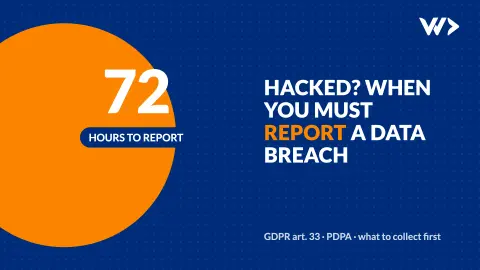
Website Hacked? When to Report a Data Breach in 72 Hours
Your website was hacked and it stores customer data. Do you have to report it within 72 hours? How to decide, what to collect, and where to report it.

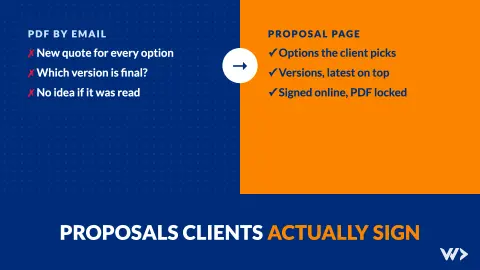
Proposals Clients Sign: Options, Versions and Online Signing
What we learned moving our proposals from PDFs to signed online pages: let clients choose options, keep versions, lock what was signed, know when it is read.
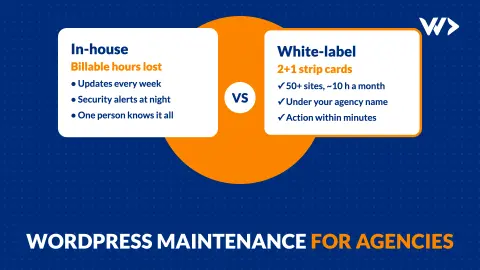
WordPress Maintenance for Agencies: White-Label, 50+ Sites
How a design agency sells WordPress maintenance for 50+ client sites without a developer on staff: the work, the cost and what happens on patch day.