Proposals Clients Sign: Options, Versions and Online Signing

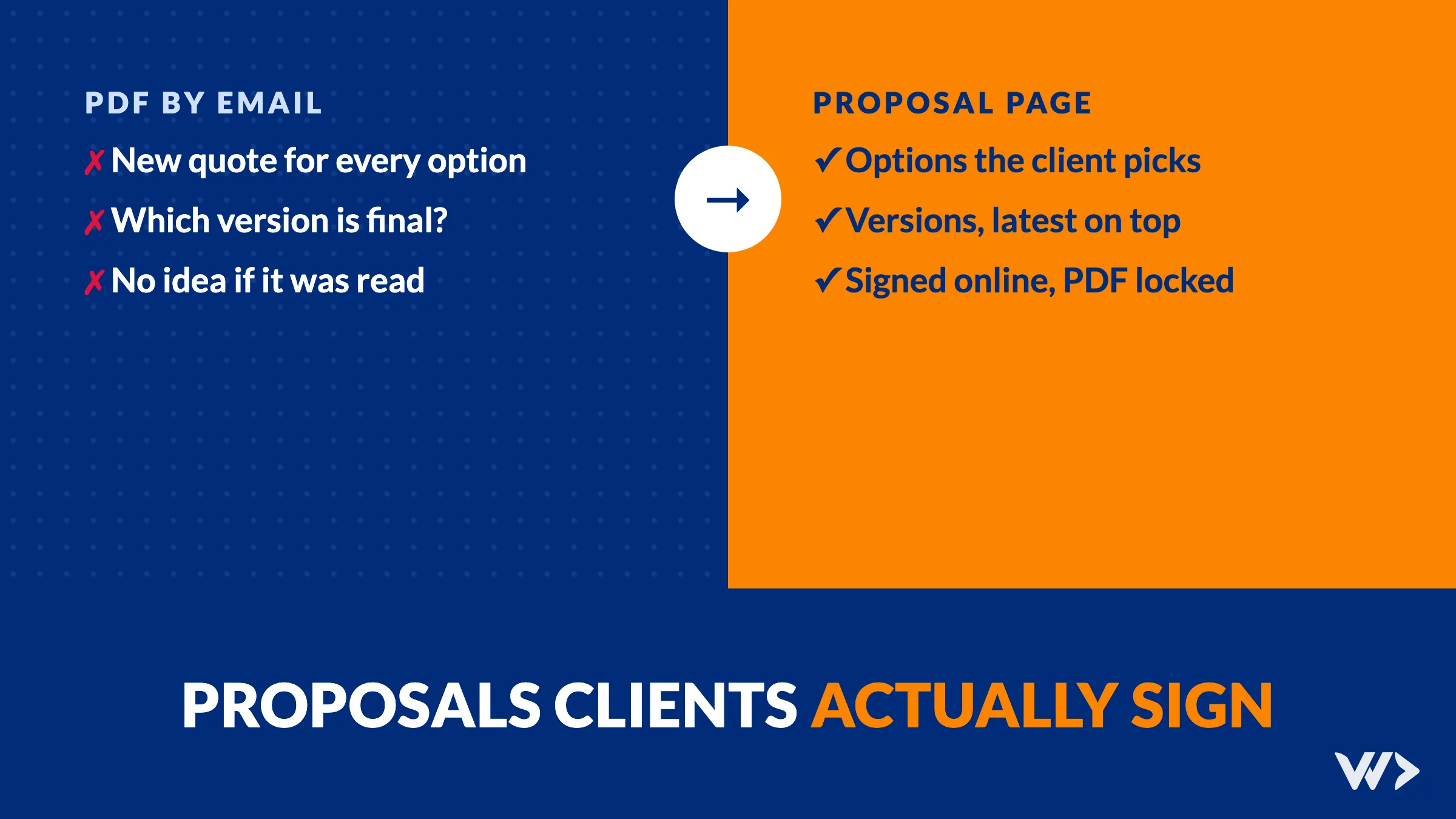
A proposal is usually the last thing a client reads before saying yes, and often the least designed part of the sale. A PDF goes out by email, the client forwards it, asks for a change, gets a second PDF, and a few weeks later nobody is sure which version was agreed to.
The short answer: a proposal clients sign has four things. The client can choose between options instead of asking for a new quote. Every change becomes a new version while the old one stays readable. The signature is tied to exactly what the client saw, and that copy is locked. And you know when the proposal is opened, so you follow up at the right moment. We built this for our own proposals in October 2026. Below is what we did and what we learned.
Want proposals like this without building them? Propozit, our own product, turns your price list, cases and story into a branded proposal where your client picks the options and signs.
Our own case: from PDFs to signed proposal pages
In early October 2026 we needed to send proposals and portfolios without waiting for a designer to lay out each one. So we built proposal pages on our own website: one link per client, with our cases, team, planning, prices and terms, in the client's language.
It went in steps, each one because a real proposal needed it:
- Online signing (6 October): the client reads the proposal and signs with a drawn or typed signature. Both sides get an email.
- Versions (7 October): our team keeps editing a draft while the client keeps seeing the last published version, numbered v1, v2, v3.
- Options: lines that are included, optional or a choice between alternatives, so the client builds the version they want.
- Payment plans and commitments: pay upfront for 10% off, split 50/50, or commit to 6 or 12 months of a subscription for 5% or 7.5% off.
- A signed PDF: generated at the moment of signing, with a fingerprint (hash) of the content.
- Open alerts and reading time: the person who sent the proposal gets an alert when it is opened.
By the end of October the system held 21 proposals with 114 saved revisions, 20 published versions (up to v5 for one client) and 8 signatures. We wrote up the data model behind it in what is an ERD.
1. Let the client choose instead of asking for a new quote
Most back-and-forth on a quote is the client asking "what if we leave this out?" or "what would it cost with that?". Each question costs a day and a new PDF.
Put the answers in the proposal. Mark each line as one of three kinds:
| Line type | What the client sees | Example |
|---|---|---|
| Included | Always part of the price | Design and build of the website |
| Optional | A checkbox; the total updates | Extra language, SEO audit |
| Choice | Pick one of several | Hosting with us or on your own server |
The same goes for how they pay. Offering a discount for paying upfront, or for a longer commitment, lets the client trade money for flexibility themselves. Write the terms next to each option so nobody has to ask.
2. Keep versions, and show the client only the latest
Proposals change. That is fine, as long as everyone knows which version is current. Our rules:
- The team edits a draft. Every save is kept, so a wrong edit can be undone.
- Publishing makes a frozen, numbered version. The client's link always shows the latest one.
- Older versions stay readable for the team, so "what did we send on Tuesday?" has an answer.
Without this, the person who changes a price while the client is reading has just changed what the client might sign.
3. Lock exactly what was signed
A signature has to point to one fixed text. We store, with each signature: who signed, when, which version, a full copy of what they saw and a hash of that content. A signed proposal can't be edited; a change means a new version and, if needed, a new signature.
This matters most when there is a disagreement months later. "Was hosting included?" is answered by the signed copy, not by the current draft or someone's memory.
One thing we did right by luck of timing: signing went live a day before versions, and each signature kept its own full copy from the start. So even the first signatures, made before versions existed, still show exactly what was agreed.
4. Know when it is read
A proposal that sits unopened needs a different follow-up than one the client read three times last night. An alert when the proposal is opened, and a rough idea of how long it was read, tells you when to call. Ask before you track more than that: clients accept an open alert more easily than detailed tracking.
Two more details that save time: put an expiry date on the proposal (and enforce it, so an old price can't be signed in six months), and sign your side in advance, so the client's signature completes the agreement.
PDF, e-signature tool or proposal page?
| PDF by email | PDF + e-signature tool | Proposal page | |
|---|---|---|---|
| Client picks options | No, new quote needed | No | Yes, total updates live |
| Versions | File names (v2-final-FINAL) | Per uploaded file | Built in |
| Signed copy locked | No | Yes | Yes |
| Know when it is read | No | Sometimes | Yes |
| Looks like your brand | If designed each time | If designed each time | Yes, from a template |
A PDF is fine for a one-off quote. Once you send several proposals a month, especially with options or subscriptions, a proposal page saves hours per deal and removes the "which version?" problem.
Build it or use a product?
We built ours because proposals are part of our own system: prices come from our offer list, cases from our portfolio, and a signature updates our CRM. If your proposals need that kind of link to your own data, a custom build can make sense, and we build systems like this for clients. See custom web application development: cost and process, and our view on build it or buy it.
If you mainly want branded proposals with options and signing, use a product. Propozit is ours: it turns your price list, cases and story into a branded proposal where the client picks the options and signs.
A checklist for your next proposal
- One link, in the client's language, that always shows the current version.
- Included, optional and choice lines, with the total updating.
- Payment options with their terms written next to them.
- An expiry date that is enforced.
- Your signature already on it.
- A locked signed copy, sent to both sides as a PDF.
- An alert when it is opened.
Send proposals clients can say yes to
Try Propozit for your own proposals, or contact us if you want a proposal and signing flow built into your own software.
Frequently asked questions
Is a proposal signed online legally binding?
In many countries an electronic signature can be valid for a commercial agreement, but the rules differ per country and per type of contract. Keep a locked copy of what was signed and check with a lawyer for contracts that need a qualified signature.
What should a proposal include?
Who you are and relevant work, the client's problem and your approach, scope, planning, the team, prices with options, terms, and a way to sign. Put the price and options where the client can change them, not only in a table.
How do I handle changes after sending a proposal?
Edit a draft and publish a new numbered version. The client's link shows the latest version; older versions stay readable for your team. A signed version is never edited.
Should I offer a discount for paying upfront?
It can speed up a decision and improve cash flow. We offer 10% off for paying a project upfront and 5% or 7.5% off for 6- or 12-month subscription commitments, written next to each option.
What is Propozit?
Propozit is our own product for proposals: it turns your price list, cases and story into a branded proposal where your client picks the options and signs.
Related articles
WordPress Maintenance for Agencies: White-Label, 50+ Sites
How a design agency sells WordPress maintenance for 50+ client sites without a developer on staff: the work, the cost and what happens on patch day.

Google Tag Manager Slowing Down Your Shop? Clean Up Tags Safely
A real webshop scan: 547 requests, four Google IDs and an LCP of 15.7 seconds on a phone. How to find which tracking tags slow your shop and remove them without losing your data.
Custom Web Application Development: Cost, Process and What Goes Wrong (2026)
What does a custom web application cost, how is it built and where does it go wrong? Day rates, a worked example and two real projects: Waterleau and RAS Security.