Page Title Cut Off in Google? What We Fixed on 799 Pages

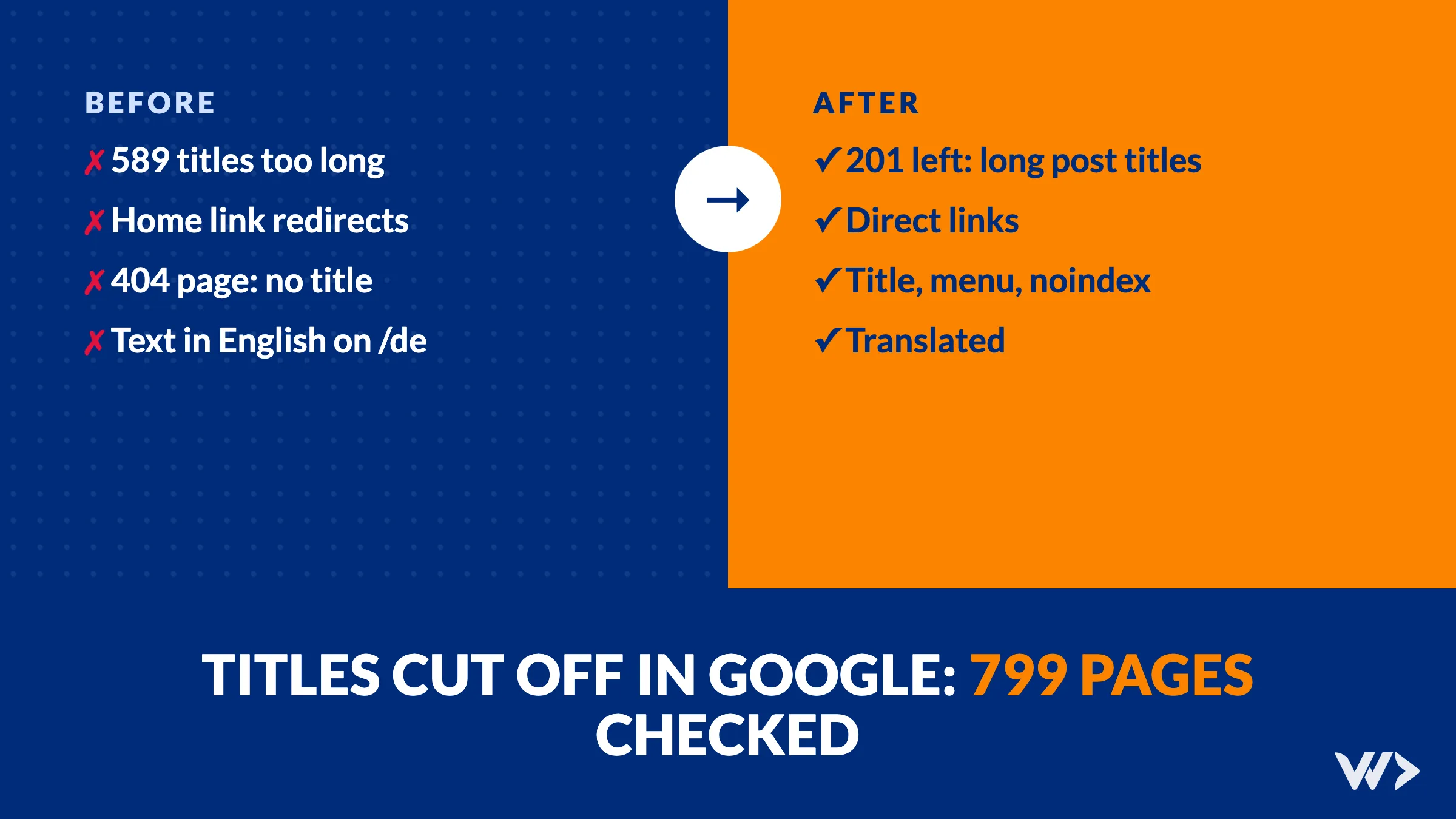
Short answer: Google shows roughly the first 60 characters of a page title, so anything longer gets cut off with three dots, usually right where your page says what it is about. The most common cause is not the title itself but a brand name that the website adds to every page. On 13 November 2026 we checked all 799 pages in our own sitemap and found 589 titles that were too long. One small rule brought that down to 201. The same check turned up four other errors, which we fixed the same day. Here is what we found, so you can check your own site.
What we checked
We loaded every URL in our sitemap, in all five languages of our site, and recorded the status code, the title, the canonical tag, the language tags, the headings, the structured data and every link on the page. Then we opened the most important pages on a phone and on a desktop and looked at them like a visitor would.
The basics were in order: every page answered with status 200, every canonical and language tag pointed to the right page, every page had exactly one main heading, and the structured data was valid. The problems were in the details.
1. Titles too long because of the brand name
Our website added " | We Do Dev Work" to every page title. That is 16 characters, on every page. Our pricing page became "Pricing: emergency help, strip cards and developer subscriptions | We Do Dev Work", 81 characters. The French About page reached 103.
In Google, that means the end of the title disappears. And the end is often the part that matches what someone searched for, not the brand name they have never heard of.
The fix: the site now adds the brand name only when the full title still fits within 60 characters. A short title like "Contact us" keeps the brand. A long, descriptive title stays complete. Result: 589 titles over 60 characters became 201.
The remaining 201 are long on their own: 139 blog posts, 34 service pages and 10 case studies. That is not a code problem but a writing problem, so we shorten them one by one, every time we improve a post.
2. The home link redirected on every page
The logo, the footer logo and the Home menu item all pointed to /en/ with a slash at the end. Our site serves the home page at /en without the slash, so every click on those links went through a redirect first. Because the logo is on every page, every page carried a link that redirects. Search engines report this as an issue, and it costs every visitor an extra round trip. The links now point straight to the right address.
3. A 404 page without a title
When we opened an address that does not exist, the page did say "not found", but the browser tab had no title, the menu and footer were missing, and the text repeated itself. A visitor who follows a broken link from elsewhere had only one button to go anywhere. The 404 page now has a title, the normal menu and footer, and a noindex tag so search engines do not store it.
4. Links inside blog posts that were wrong
Over the years, our blog posts collected small link problems that no one sees until you list every link:
Links to our own site over http, which redirect to https before the visitor gets anywhere.
Code that turned into links. The editor we used for older posts turned words like app.Run and ASP.NET into links, as if they were web addresses.
Links to translated pages that redirect, because that page only exists in English and Thai.
One empty link and four images without alt text.
We fixed 66 blog texts across five languages in one database update, with a check that skipped any post edited in the meantime.
5. Text that stayed in English on translated pages
On a German page, the contact form was still in English: 23 labels, buttons and options. A few buttons in Dutch, French and German, and a line in the Thai footer, had the same problem. The cause was simple: these texts had been added to the English translation file but never to the others. Visitors notice this immediately, and it makes a translated site feel unfinished. We added the missing texts in every language.
What we have not fixed yet
One issue is still open. When someone opens a blog address that does not exist, our site redirects to the blog overview instead of showing a 404. Google treats that as a "soft 404": a page that says nothing is here while the server says everything is fine. We plan to return a real 404 for those addresses.
How to check your own site
List all your titles. A crawler such as Screaming Frog (free for up to 500 addresses) or the page reports in Google Search Console and Bing Webmaster Tools show every title and its length. Look at titles over 60 characters and check whether a brand name is pushing them over.
Find internal links that redirect. Logos, menus and footers are on every page, so one wrong link there counts hundreds of times.
Open an address that does not exist. You should get a real 404 status, a clear title and a way back to the rest of the site.
Check old content for http links, links to pages that moved, and images without alt text.
Open each language version yourself. Forms, buttons and error messages are the places where untranslated text hides.
Our site runs in five languages, which multiplies every mistake by five. If yours does too, read the five multilingual SEO mistakes we fixed before this check. For what Bing reports on top of Google, see what to fix in Bing Webmaster Tools. And if your site gets visitors but no enquiries, the problem is often not technical at all: see the nine fixes we made for that.
Not sure where your own site stands? Our free website check asks a few questions and tells you what to fix first.
Frequently asked questions
How long can a page title be in Google?
Google shows roughly the first 60 characters on a desktop; the exact limit depends on the width of the letters. Keep the words that matter at the start, and treat 60 characters as the safe maximum.
Should every page title include my brand name?
Only when there is room. A short title can carry the brand at the end. On a long, descriptive title, the brand pushes the useful words out of view. Our site now adds the brand only when the full title still fits within 60 characters.
Does a cut-off title hurt my ranking?
Google can still read the full title, so the main cost is fewer clicks: searchers see an incomplete title and may choose another result. Google may also rewrite titles it finds unhelpful.
What is a soft 404?
A page that tells visitors nothing is there while the server answers with a success status, or a missing page that redirects to a general page such as the home page or blog overview. Search engines prefer a real 404 status for pages that do not exist.
How often should I check my site for these errors?
After every redesign, migration or change to the menu and footer, and otherwise every few months. A crawl of a site with a few hundred pages takes minutes.
Related articles
Website Visitors but No Enquiries? 9 Fixes From Our Own Site
Visitors but few enquiries? We reviewed our own site with real visitor data: bot traffic, mixed currencies, a required phone field and 6 more fixes.

Multilingual SEO: 5 Hreflang and Canonical Mistakes We Fixed
Five multilingual SEO mistakes we found on our own five-language site: broken hreflang, query-string canonicals, duplicate pages and untranslated pages indexed.
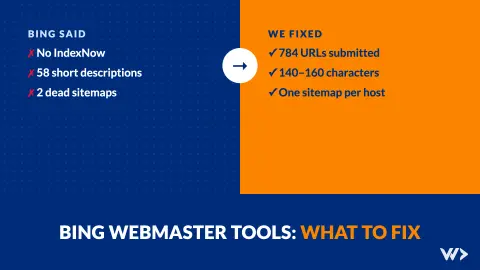
Bing Webmaster Tools: What to Fix First (Our Own Report)
What to fix in Bing Webmaster Tools, in order: IndexNow, short meta descriptions, alt text and old sitemaps. Our own report: 61 issues fixed in one day.