
Selling Online in Thailand: Webshop, PromptPay and Card Payments (2026)

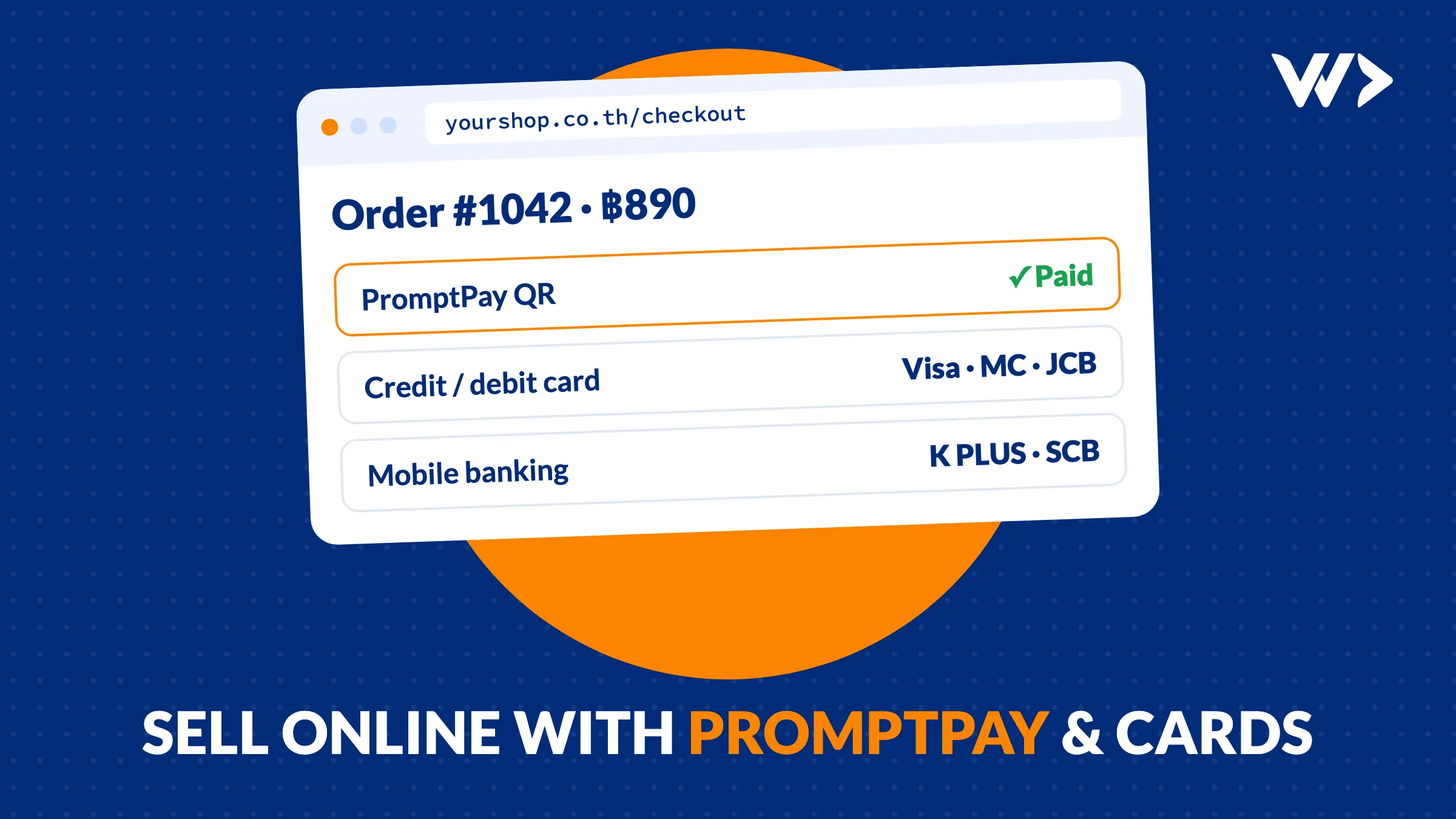
More and more Thai businesses that started at a market stall, on Facebook or through LINE want their own webshop. The big question is almost always the same: how do customers pay? In Thailand that means PromptPay first, cards second, and ideally no one checking bank slips by hand at 11 at night.
The short answer: connect your webshop to a payment provider. It creates a PromptPay QR code with the exact amount for every order, accepts Thai and foreign cards, and marks the order as paid automatically. Published fees in October 2026 are around 1.65% for PromptPay and 3.65% for cards, with some providers cheaper. Below we compare the main providers, explain what you need, show what it costs, and share a real case.
How Thai customers want to pay
- PromptPay QR. Scan with any Thai bank app, done. For most local customers this is the default.
- Credit and debit cards. Needed for foreign customers, expats and bigger orders.
- Mobile banking. The customer is sent straight into K PLUS, SCB Easy or another bank app.
- E-wallets. TrueMoney, LINE Pay or ShopeePay, popular with younger buyers.
The good news: one payment provider usually gives you all of these through one integration.
Static QR or a QR per order?
Many small sellers start with one fixed PromptPay QR code on a sign or in a chat. The customer types the amount, sends a screenshot of the slip, and you match payments to orders by hand. That works for ten orders a week. It does not work for a webshop.
On a webshop, the payment provider generates a new QR code for every order, with the amount already filled in. When the customer pays, the provider sends a message to your shop and the order is marked as paid. No slips, no typing mistakes, no customer waiting for you to check the bank. At Opn, for example, the QR expires after 24 hours by default, so old unpaid orders clean themselves up.
Payment providers compared (October 2026)
| Provider | PromptPay | Thai cards | Good to know |
|---|---|---|---|
| Opn Payments (Omise) | 1.65% | 3.65% | Also mobile banking (10 THB), TrueMoney (2.65%), LINE Pay. 7% VAT on top of fees, plus a small fee per payout to your bank. |
| Stripe | 1.65% | 3.65% + 10 THB | Foreign cards 4.75% + 10 THB. No setup fee. Daily payouts after a first wait of 7 business days. |
| Beam | Free | From 1.80% | Premium, overseas and Amex cards cost more. PromptPay paid out the next business day, cards after three. |
| 2C2P | Quote on request | Sales-led, aimed at larger companies. Has an official Shopify app. | |
Fees are the providers' own published rates at the time of writing and change regularly, so check the pricing page before you sign up. GB Prime Pay, which many Thai shops used, is now part of Xendit.
What about Shopify? Shopify Payments is not available in Thailand. A Shopify shop here needs a third-party gateway through an app, and that choice affects your fees too.
What you need before you can accept payments
- A business identity. Providers accept companies, and some also individuals. A company usually needs its DBD company certificate, shareholder list and IDs of directors; an individual needs a Thai ID and a bank book in the same name.
- A Thai bank account in the name of the business or person signing up.
- Commercial registration for online selling. Under the current rules of the Department of Business Development, individuals and ordinary partnerships that sell online must register. A limited company is already registered as a juristic person. Check the details on the DBD website or with your accountant.
- A shop with clear policies. Payment providers check your website before they approve you: prices, delivery, refunds and contact details must be visible.
A real case: Pak Prik, from the market to the web
Pak Prik is a family business in Nakhon Pathom that makes curry pastes. The products were good and sold well at the local market, but there was no brand and no way to buy online.
We started with the brand: a complete branding so the pastes look as good as they taste. Then we built a custom webshop in Thai and English, with an integrated Thai payment provider (Opn) so customers can pay by PromptPay or card, plus recipes, a blog, customer accounts and an affiliate programme. The shop went live in September 2026, and the family now sells beyond Nakhon Pathom.
"WDDW brought our family business from the market in Nakhon Pathom to the world wide web. Big steps for our little enterprise."
Thongkla, Pak Prik
The lesson: payments are only one part. Customers buy from a shop that looks trustworthy, explains the product and works smoothly on a phone. See the result at pakprik.com.
What a webshop costs
| Part | Price (excl. VAT) | What you get |
|---|---|---|
| Website package | ฿29,995 | Up to 5 pages in your brand, Thai and English, CMS, mobile, basic SEO |
| Small webshop | + ฿19,995 | Up to 50 products, online payment, order emails |
| Branding (optional) | + ฿14,995 | Logo, colours and type for your brand |
| Hosting and care | ฿1,990 / month | Hosting, SSL, backups, updates and monitoring (12-month minimum) |
On top of that you pay the payment provider's fee per order. A shop with many products, customer accounts or an affiliate programme, like Pak Prik, is custom work and priced per project. See our website price guide for how we compare with other options.
Checklist before you go live
- PromptPay and cards both tested with a real small payment.
- Order confirmation emails arrive, also in Gmail and Outlook.
- Delivery costs, refund policy and contact details are on the site.
- The checkout works smoothly on a cheap Android phone.
- Someone gets a notification for every new order.
- You know how to refund a PromptPay payment (it often needs the customer's bank details).
Want to sell online with PromptPay and cards? Tell us about your products and we'll send you a fixed price. Already have a shop? Run it through our webshop checklist first.
Related reading
Frequently asked questions
Can my webshop accept PromptPay automatically?
Yes. A payment provider such as Opn (Omise) or Stripe creates a QR code with the exact amount for every order. The customer scans it in their bank app and the provider tells your shop the payment arrived, so the order is marked as paid without anyone checking a bank statement.
What does PromptPay cost for a webshop?
At the time of writing, Opn and Stripe both list 1.65% per PromptPay payment, and Beam lists PromptPay QR as free. Check VAT and payout fees on top, and re-check the pricing pages before you sign up, because rates change.
Is Shopify Payments available in Thailand?
No. Thailand is not on Shopify's list of supported countries, so a Shopify shop in Thailand uses a third-party payment provider through an app.
Do I need to register my online shop?
If you sell online as an individual or ordinary partnership, Thai rules require commercial registration with the Department of Business Development (DBD). A limited company is already registered as a juristic person. Check the current rules on the DBD website or with your accountant.
What does a small webshop cost with We Do Dev Work?
Our website package is ฿29,995 (up to 5 pages, Thai and English, CMS). A small webshop with up to 50 products, online payment and order emails is ฿19,995 on top, and branding is ฿14,995 if you need a logo and colours. Hosting and care is ฿1,990 a month. Prices exclude VAT.
Related articles
PHP2Shell: what to do now with your WordPress or Laravel site
Two critical PHP flaws (CVE-2026-109618, CVE-2026-109619) let attackers take over servers. What to do today: patch, protect until you can, and check for a break-in.

Website Suddenly Very Slow? What to Do (15-Minute Checks)
Website suddenly slow? Run six checks in 15 minutes, match the symptom to the cause (hosting, plugins, images, traffic, bots, scripts) and see what a fix costs.
Shopify or WooCommerce Checkout Not Working? What to Check
Shopify or WooCommerce checkout not working? A 15-minute checklist: status pages, apps and plugins, caching, webhooks, SSL, and when to call a developer.


