Vercel and Netlify Alternatives: What We Use and Why (2026)


Short answer: if per-seat pricing or lock-in bothers you, look at AWS Amplify, Cloudflare Pages or Workers, DigitalOcean App Platform, Fly.io or Render. Agencies with many developers should avoid per-seat billing, and mostly static sites are cheapest on Cloudflare. We run our own site, wedodevwork.com, on AWS Amplify. Below you'll find the price comparison and what running our site taught us, including an outage on 1 November 2026 that no host would have prevented.
Not so long ago, deploying a website was a messy business. You rented a VPS, installed Nginx, configured SSL certificates, worried about ports and permissions, and hoped you didn’t bring the server down while deploying a new version. Then came Netlify and Vercel. Suddenly, you could connect your GitHub repo, push your code, and your website went live. For frontend developers, that was magic.
The idea was simple but powerful: abstract away the infrastructure and let developers focus on code. Vercel and Netlify didn’t only host static files; they offered continuous deployment, automatic previews, global CDNs, and even serverless functions. They became the default answer for “where should I host my frontend?”
But like many revolutions, the next stage came with trade-offs. What made these platforms so convenient also made them rigid. And as teams and projects grew, some of those trade-offs started to hurt.
What Vercel and Netlify solved
Both platforms solved a massive pain in frontend workflows. Before them, deployment was an afterthought, often handled by the one backend engineer who understood the server. Suddenly, every frontend developer could deploy confidently. With every git push, your code built, deployed, and served globally in seconds. You didn’t have to think about CDNs, SSL, or caching.
They also made collaboration easier. Preview URLs for pull requests changed how teams reviewed code. Serverless functions made it possible to run backend logic without managing a separate API. And because they were built around Git workflows, developers didn’t have to learn new tools.
For small teams, side projects, or startups, it was perfect. Fast, clean, modern.
The cracks start to show
The problems show up when you scale. Not necessarily in traffic, but in the complexity of your team or stack.
The first issue is vendor lock-in. These platforms rely on proprietary configurations and deploy systems. Once you use Vercel’s edge functions or Netlify’s forms, you’re not deploying just code: you’re deploying their flavor of it. Moving away later can mean rewriting features or reconfiguring your whole CI/CD.
The second problem is limited stack support. They excel at Next.js, Gatsby, or static SvelteKit sites, but if your project has a backend, custom API, or database integration, the simplicity breaks. Many teams end up deploying parts of their app elsewhere anyway.
Then there’s pricing. It starts cheap, but usage-based billing adds up. On Vercel, every developer seat on Pro costs $20 a month on top of the platform fee, plus usage for requests, bandwidth and function time. Agencies hit this wall fast: every developer costs extra, even if they only work on one project for a client. (Netlify has since changed this: its Pro plan is a flat $20 a month with unlimited members, but you spend credits on deploys, compute and bandwidth instead.)
And perhaps the biggest frustration is lack of control. You can’t decide how your CDN behaves, which region functions run in, or how scaling rules apply. The simplicity that made it great for individuals makes it limiting for teams that need flexibility.
Why we looked for alternatives
At We Do Dev Work, we run an agency environment. Multiple developers, multiple projects, different frameworks, different clients. We need a setup that can grow with us and adapt to how we work, not the other way around.
We don’t want to pay per seat. We don’t want to be told which stack we can use. And we need a system that’s consistent across projects: so when one developer finishes a project, another can take over without a steep learning curve.
That’s why we started looking beyond Vercel and Netlify. We wanted something that integrates cleanly with our ecosystem: TypeScript, .NET, PostgreSQL, SvelteKit, and Supabase. Something that gives us control over infrastructure, costs, and access.
That led us to AWS Amplify.
Why we like AWS Amplify
Amplify is not as flashy as Vercel. It doesn’t market itself with fancy animations or magic words like “instant deploy.” But under the hood, it offers the right balance between convenience and control.
It supports modern frameworks like React, Vue, and SvelteKit without forcing a specific one. You connect your repo, and it builds on every push. Same as the others. But because it’s part of AWS, it integrates naturally with the rest of the ecosystem. Need a database? You can spin up RDS or connect Supabase. Need to host images? Use S3. Need edge caching? CloudFront is there.
We like that everything is transparent. You can see what you pay for, line by line. You’re not billed for team members. Costs are metered, not hidden: build minutes beyond the free allowance, data served and server-side rendering requests all have a published price (see the table below). If a project grows, we scale it the same way we scale our backend.
Another big plus: consistency. Every project we deploy follows the same Amplify setup. It means our developers can jump between client projects without needing to learn new pipelines or proprietary workflows. It also keeps all environments under our control. No need to depend on a vendor that might change its pricing or features tomorrow.
Alternatives worth exploring
Amplify works well for us, but it’s not the only path. Depending on your project size and focus, there are other great options:
Cloudflare Pages is excellent for static and JAMStack sites. Fast global delivery, built-in edge functions, and straightforward Git integration. It’s also one of the most affordable options: static asset requests are free and unlimited, and Pages allows 500 builds a month on the free plan. Cloudflare’s newer development focus is Workers, so check which one suits a new project.
Render is an interesting balance between simplicity and full-stack flexibility. It supports web services, cron jobs, PostgreSQL, and background workers. All with a relatively easy dashboard.
Fly.io focuses on performance and proximity. You can run Dockerized apps close to your users, ideal for projects where latency matters.
DigitalOcean App Platform feels like a friendlier version of AWS. It supports most frameworks, offers managed databases, and is great for small businesses. But for some reason DigitalOcean isn’t the favorite option for many.
Google Cloud Run provides serious scalability, though it’s more technical. It can host anything containerized, but it requires more configuration and DevOps knowledge.
Each of these tools has its own trade-offs. The key is matching the tool to the team.
What the main options cost in October 2026
Prices change, so check each provider before you commit. These figures come from each provider’s own pricing or documentation page, checked in October 2026.
| Platform | Entry plan | Team seats | Billing model | Good fit |
|---|---|---|---|---|
| Vercel | Hobby $0 (personal, non-commercial use only); Pro $20/month | $20/month per extra developer seat on Pro | Included usage (Pro: 1 TB transfer, 10M CDN requests), then metered | Next.js, small teams |
| Netlify | Free (300 credits); Personal $9; Pro $20/month | Pro is flat, unlimited members | Credits: production deploys, compute, bandwidth, requests | Static and Jamstack sites |
| AWS Amplify Hosting | Pay as you go; free tier for 12 months | No per-seat pricing | Free tier: 1,000 build min, 15 GB served, 500K SSR requests; then $0.01/build min, $0.15/GB, $0.30 per 1M SSR requests | Teams already on AWS |
| Cloudflare Workers/Pages | Free; Workers paid from $5/month | Not seat-priced on the pricing pages we checked | Static asset requests free and unlimited; Workers Free 100K requests/day; Paid 10M requests/month included | Static and edge-first apps |
| DigitalOcean App Platform | Static sites free (3 apps, 1 GiB transfer each); containers from $5/month | No seat pricing listed | Fixed price per container size, overage $0.02/GiB transfer | Small businesses, predictable bills |
| Fly.io | No free tier; pay as you go | No seat pricing listed | Per-second machine time (cheapest always-on machine about $2.19 per 30 days) plus outbound data from $0.02/GB | Containers close to users |
Render and Google Cloud Run also fit, but we could not confirm their current plan prices from their pages, so we do not quote any. One Render fact from its docs: free web services spin down after 15 minutes without traffic and take about a minute to wake up, and free Postgres databases expire after 30 days. Both are fine for demos and not for client sites.
What running our own site on Amplify taught us
Our own site is SvelteKit on AWS Amplify Hosting, with Supabase for data, in five languages. Three lessons from the last few weeks:
Hosting doesn't protect you from your own cache. On 1 November 2026, during a Postgres upgrade of our database, the query for the site's list of languages returned nothing. Our server cached that empty answer as "English only", so every Thai, Dutch, French and German URL redirected to an English path and returned a 404. Amplify kept serving exactly what our code told it to. The fix: never cache an empty answer, fall back to English for that one request, and try again on the next. Redeploying cleared the bad cache.
Know what your CDN caches. Our blog pages are cached for 10 minutes at the edge. If you open a new post's URL before it is published, the redirect you get is cached too, and the post seems missing for up to 10 minutes. We now check new pages with a throwaway query parameter.
Check where your logs go. Our Amplify app turned out to have no CloudWatch log group, so the server log lines we relied on for our Content Security Policy reports were never stored. We now write those reports to a database table instead. On any host, test that the logs you need actually arrive before you need them.
None of these are reasons to leave Amplify. They are what every host leaves to you, whichever one you pick. If your site broke after a hosting or database change, see our emergency help.
Which one should you choose?
- Solo developer or one Next.js product: Vercel Hobby or Pro is still the lowest-friction choice. Note that Hobby is for non-commercial use only.
- Agency with many developers: avoid per-seat billing. Netlify Pro, Amplify or Cloudflare keep the bill independent of headcount.
- Already on AWS or need your own VPC, databases and queues nearby: Amplify, with ECS for anything that outgrows it.
- Mostly static content, lots of traffic: Cloudflare, where static asset requests are free and unlimited.
- A real backend with a database and workers: Render, DigitalOcean or Fly.io, or plain containers.
- Heavy or spiky container workloads: Google Cloud Run, if you have the DevOps skills.
Moving between hosts
Lock-in is mostly about edge functions, form handlers, redirects and build config. Before you switch, list every platform-specific feature you use. MigrateXtoY has migration guides and effort estimates for moving between platforms, which helps you price the move before you start. If your site is already slow or failing on its current host, EngineeringScore gives a free audit of performance, security and reliability. For help with the migration itself, see our projects page, or emergency help if something is down. Our cost is not zero post covers why cheap hosting is rarely the real cost, and Svelte is the framework we pair with Amplify.
When serverless isn’t the answer
Serverless hosting sounds like the future, and it often is, but not for everything. We’ve seen projects where serverless ends up more expensive and complex than a classic VPS setup.
The issues usually come down to scale and consistency. For long-running tasks or heavy traffic, serverless costs can skyrocket. Cold starts can hurt user experience, and debugging across multiple lambda invocations can be painful. And because each function runs in isolation, caching and state management are harder.
A classic container-based setup can be cheaper, easier to debug, and still scalable. With the right DevOps setup: CI/CD pipelines, autoscaling, and load balancing, you get predictable costs and performance. It’s not “modern” in the buzzword sense, but it’s still how a lot of large-scale applications run successfully.
In other words, the right architecture is the one that fits the problem, not the trend.
Our approach at We Do Dev Work
For us, flexibility wins. We use Amplify when we need quick frontend deployments, integrated with Supabase for data and authentication. When we need more control, we go for classic container deployments on AWS ECS or even managed VPS setups.
Our goal is always the same: fast, reliable, and maintainable hosting with transparent costs. It’s not about chasing the newest tool. It’s about picking the right tool for the job.
And owning the full process from code to production.
We still admire what Vercel and Netlify brought to the ecosystem. They made modern frontend development accessible and enjoyable. But convenience has its limits. For an agency that handles multiple stacks, teams, and clients, owning the pipeline matters more than one-click deploys.
Final thoughts
Frontend deployment has come a long way: from manual FTP uploads to serverless CDNs with previews and functions. But the story isn’t finished. We’re entering a phase where teams want the same convenience and control. Where costs need to be predictable, environments reproducible, and tools open.
For us at We Do Dev Work, AWS Amplify hits that balance. It’s reliable, flexible, and fits naturally within our stack. But the real takeaway is this: don’t let hosting define your architecture.
Pick a platform that serves your workflow, not the other way around.
That’s how you build scalable systems, and a sustainable agency.
Sources
Frequently asked questions
Is Vercel Hobby free for commercial projects?
No. Vercel states the Hobby plan is for personal, non-commercial use. Commercial sites need Pro, at $20 per month plus $20 per extra developer seat.
Does Netlify charge per seat?
Not on its current pricing page. Pro is a flat $20 per month with unlimited members, and usage is paid in credits for deploys, compute and bandwidth.
How much does AWS Amplify Hosting cost?
There are no seat fees. The free tier covers 1,000 build minutes, 15 GB served and 500,000 SSR requests a month for 12 months, then $0.01 per build minute, $0.15 per GB and $0.30 per million SSR requests.
What is the cheapest alternative to Vercel for a static site?
Cloudflare, where requests to static assets are free and unlimited, or DigitalOcean App Platform, which hosts up to three static apps free.
Is Fly.io free?
No. New organizations pay as you go after a short trial of 2 hours of machine time or 7 days. The cheapest always-on machine costs about $2.19 per 30 days plus outbound data.
How hard is it to move off Vercel or Netlify?
Static sites move easily. Edge functions, form handling and custom redirects are the hard parts, so inventory them first and estimate the effort, for example with MigrateXtoY.
Can a host prevent outages caused by my own code?
No. A host keeps servers and the CDN running, but if your code caches a wrong answer or a deploy breaks a route, the host serves the broken result. On 1 November 2026 our own site showed 404s on its non-English pages because our server cached an empty language list during a database upgrade.
Related articles
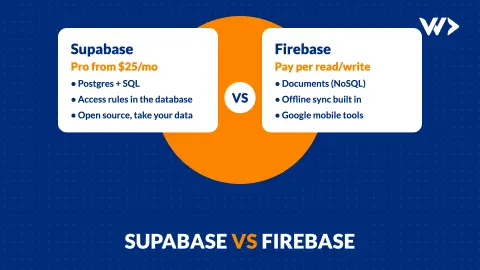
Supabase vs Firebase (2026): Which One for Your App?
Supabase or Firebase in 2026? A comparison from a team running three products on Supabase: data model, security, prices checked 19 Nov 2026, and how to choose.

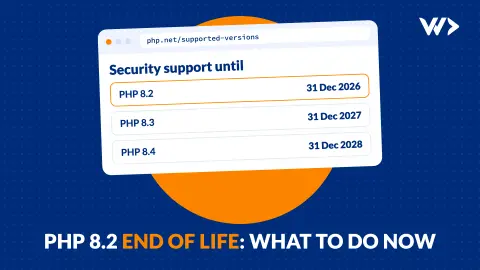
PHP 8.2 End of Life on 31 December 2026: What to Do Now
PHP 8.2 gets no security fixes after 31 December 2026. Which version to move to, what breaks in WordPress or Laravel, and how to upgrade without downtime.

www Version of My Site Shows a Security Error: Why and How to Fix It
Your site works without www, but www.yourdomain gives a security warning. Why it happens, how 13 of 1,482 shops we scanned had it, and how to fix it on Shopify or WooCommerce.