Google Tag Manager Slowing Down Your Shop? Clean Up Tags Safely

Every marketing tool you add to a webshop asks you to paste one more snippet: Google Analytics, Google Ads, Meta, Pinterest, a heat map, a chat widget, a wishlist. Each one is small. Together they can make a phone wait seconds before a customer can tap anything, and nobody notices because every tool works fine on its own.
The short answer: yes, Google Tag Manager and the tags inside it can slow your shop, mostly through JavaScript that blocks the phone's processor, not through file size alone. The fix is not to delete tracking. It is to make a list of every tag, load Google through one route instead of several, remove what nobody uses, and check your conversion numbers before and after. Done carefully, you keep your data and lose the waiting time.
Not sure what is running on your shop? A senior developer lists every tag, tells you which ones cost speed and cleans them up without breaking your reports. Ask for help today →
A real case: four Google IDs on one homepage
In early November 2026 we tested the homepage of a Dutch webshop on Shopify (we don't name it) with Google Lighthouse on a simulated mid-range phone. The shop sells good products and has a loyal audience. The numbers:
| Measurement | Result | Good is |
|---|---|---|
| Performance score (mobile) | 32 / 100 | 90+ |
| Largest Contentful Paint (main content visible) | 15.7 s | 2.5 s or less |
| Total Blocking Time (page frozen) | 2.34 s | under 0.2 s |
| Page weight | 5,447 KiB (about 5.6 MB) | as low as possible; under 2 MB is a fair target |
| Requests | 547 | as few as possible |
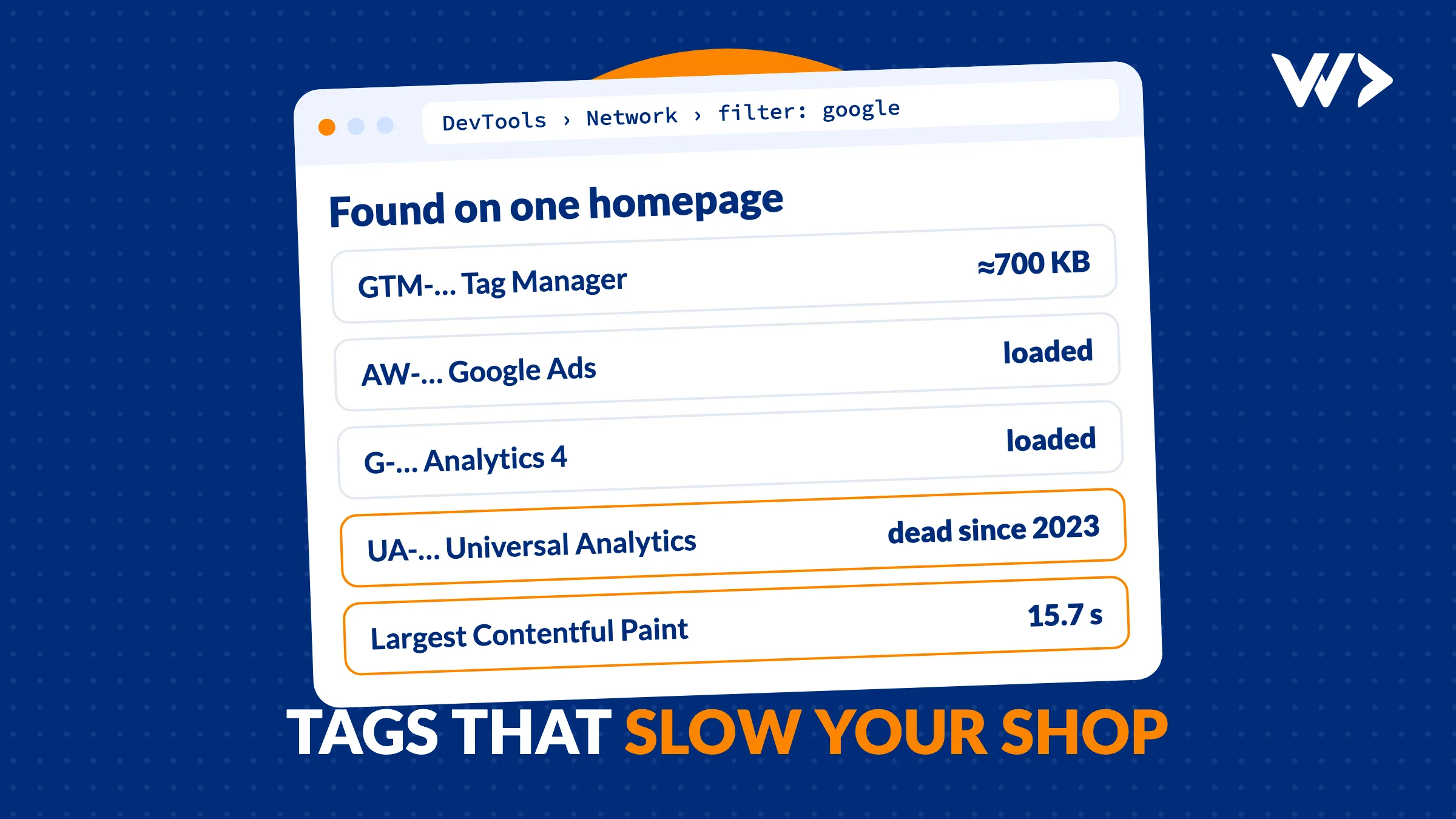
Part of that is images (the hero photo was sent to phones at desktop size). But a large part was tracking. On one homepage we found:
- A Google Tag Manager container (GTM-…).
- A Google Ads tag (AW-…).
- A Google Analytics 4 tag (G-…).
- An old Universal Analytics tag (UA-…). Google stopped processing data for standard Universal Analytics on 1 July 2023. This tag still loads and sends hits, but nobody can see them.
- Next to Google: Meta (Facebook), Pinterest, Microsoft Clarity, a back-in-stock app, a wishlist app and more.
Google Tag Manager alone transferred about 700 KB. Third-party code blocked the main thread for 520 ms, of which Google Tag Manager 276 ms, Clarity 137 ms and Facebook 106 ms. Lighthouse also estimated 460 KiB of JavaScript that loads but is never used on the page.
None of these tools is wrong. The problem is that they were added over the years, by different people, each in their own way, and nobody owns the full list.
Why tags slow a shop down
- JavaScript has to run, not only download. A phone with a mid-range processor needs time to execute every script. While it does, taps and scrolls wait. That is what Total Blocking Time measures, and what Google's INP metric feels in the field.
- Each tag loads its own friends. One pixel can pull in several more files from its own servers. That is how a homepage reaches hundreds of requests.
- Duplicate routes do the work twice. When Google Analytics loads through the theme and also through Tag Manager, the browser runs both, and your reports can count the same visit twice.
- Dead tags still cost. A Universal Analytics tag in 2026 does nothing useful, but the phone still downloads and runs it.
Step 1: make the list (15 minutes, no code)
- Open your homepage in Chrome, right-click, choose Inspect, then the Network tab. Reload. Type
googlein the filter: you see every Google file and the IDs in the URLs (GTM-, G-, AW-, UA-). - Clear the filter and sort by Domain. Every domain that is not yours is a third party. Write them down.
- Install Google's Tag Assistant and connect it to your site. It shows which Google tags fire and how often.
- Look where each tag comes from: the theme code (on Shopify, theme.liquid), an app (Shopify's Google & YouTube app, a WooCommerce plugin), Customer events in Shopify, or inside your Tag Manager container.
- For each line, ask the owner: who uses this, for what, and when did they last look at it?
You now have a table: tag, ID, where it is loaded, owner, still used yes or no. That table is the whole plan.
Step 2: clean up without losing your data
- Work on a copy. On Shopify, duplicate the theme and make changes there. On WordPress, use a staging site. Your live shop keeps running.
- Measure before. Run Lighthouse or PageSpeed Insights three times and keep the middle result. Note your conversions in GA4 and Google Ads for the last 7 days.
- Remove the dead tags. Universal Analytics IDs (UA-) can go. So can pixels for ad accounts you no longer run.
- One route per tool. Choose either Tag Manager or the platform's own integration for Google, not both. If Tag Manager stays, move GA4 and Ads inside it and remove the separate snippets from the theme.
- Load what isn't urgent later. Heat maps, chat widgets and review popups don't need to run before the customer sees the product. Set them to load after the page or after consent.
- Check consent. In the EU and UK, tags that set cookies need consent first. A cleanup is a good moment to check that your consent banner really blocks them, and that Google Consent Mode is set up if you advertise with Google.
- Measure after, then publish. Run the same tests. Compare conversions for a week after going live: they should stay level. If they drop, a tag you needed is missing, and the copy of your old theme lets you go back in a minute.
What you can expect
We won't promise a number before we have measured your shop. What we see often: removing duplicate and dead tags and delaying the non-urgent ones cuts blocking time noticeably, and fixing oversized images then does most of the rest for load time. On a phone that is the difference between a page that responds and a page that seems broken. For the image part, see website suddenly very slow? what to do.
Before Black Friday: don't change tracking in the busy week
If you sell during Black Friday or the holidays, finish the cleanup at least a week before and freeze changes during the peak. You want a quiet week of clean data to compare with, not a new setup on the busiest day of the year. Our Black Friday checklist lists the other checks.
When to call a developer
- You find tags but can't tell where they are loaded.
- Your theme code has snippets you don't dare to touch.
- Your conversion numbers in GA4 and Ads don't match, or seem doubled.
- You need consent mode or server-side tagging set up properly.
With us, emergency help costs €75 per hour (excl. VAT), a senior developer starts the same day, and there is no minimum. A tag cleanup like the one above is usually a matter of hours, not days, and you get the before and after numbers. Want hours in reserve for the next problem? A strip card gives you 14 prepaid hours. For a free first look, EngineeringScore, our own product, scans your site for speed, security and SEO problems.
Speed and tracking, both fixed
You don't have to choose between knowing your numbers and a fast shop. Ask a senior developer to look at your tags today, or contact us to plan it before your next campaign.
Frequently asked questions
Does Google Tag Manager slow down my website?
The container itself is fairly small, but every tag inside it adds JavaScript the phone must run. In the shop we scanned, Tag Manager transferred about 700 KB and blocked the main thread for 276 ms. Fewer, better-organised tags make it fast again.
Can I remove my old Universal Analytics tag?
Yes. Google stopped processing standard Universal Analytics data on 1 July 2023. Check that GA4 is running with its own G- ID first, then remove every UA- snippet.
Will removing tags break my conversion tracking?
Not if you work on a copy of your theme, keep one route per tool and compare conversions for a week before and after. If a number drops, you can switch back to the old theme in a minute.
Should I load Google through Tag Manager or through the Shopify app?
Either works. What matters is choosing one. Loading GA4 or Ads both through the theme or an app and through Tag Manager runs the code twice and can count visits twice.
How long does a tag cleanup take?
For a typical shop it is a matter of hours: listing the tags, cleaning up on a copy, testing and comparing. With us that is billed per hour at €75, with no minimum.
Related articles
Custom Web Application Development: Cost, Process and What Goes Wrong (2026)
What does a custom web application cost, how is it built and where does it go wrong? Day rates, a worked example and two real projects: Waterleau and RAS Security.

Connect Your Software to Claude or ChatGPT: What an MCP Server Takes
An MCP server lets Claude or ChatGPT read and update your own software. We built one for our project board in a day: 1,338 changes in its first 10 days. How it works and what to get right.
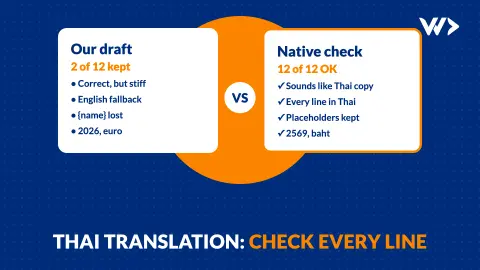
Translating Your Website Into Thai: Why Every Line Needs a Native Check
We translated 12 lines of our own site into Thai. A native speaker rewrote 10 of them, and found a broken placeholder, the wrong year and the wrong currency. What to check.