
Custom Web Application Development: Cost, Process and What Goes Wrong (2026)

You have a custom application built when off-the-shelf software doesn't fit how your business works: a planning tool that talks to SAP, a customer portal with your own prices, an internal system that today is five Excel files. The question we get most is what it costs. The honest answer depends less on the number of screens than on two things you rarely see in a quote: the integrations with your other systems, and how sure you need to be of your data.
The short answer: a custom web application is almost always priced as days of work times a day rate. Ours is €495 a day for a senior developer and €695 for a lead developer. A first version of an internal tool with a few screens and one integration is a few weeks of work. A customer portal that talks to an ERP in real time is a project of months. After launch you pay for hosting and maintenance, and that is the part most budgets forget.
Need a custom application, or is an existing one stuck? A senior developer takes a look and tells you honestly what it costs. Tell us what you want to build →
When custom is the right choice
Always start by asking whether an existing package already does it. Custom pays off when:
- Your process is your edge. You plan, price or deliver differently from your competitors, and a standard package forces their way on you.
- Your systems don't talk to each other. People retype data from the ERP into Excel and back. Every retype is a chance for an error.
- Shadow spreadsheets appear. When staff keep their own files next to the official system, they no longer trust the system. That is the clearest sign something has to change.
- Your customers want to do things themselves: order at their own prices, follow an order, download documents.
If a package fits 80%, choose the package and have only the integration or the missing piece built. That is almost always cheaper than building everything.
What does a custom application cost?
The price is days of work times a day rate. Our rates are on our pricing page: €495 a day for a senior developer, €695 a day for a lead developer, billed on actual time. A worked example, not a quote:
| Size | Example | Senior days | Cost (senior) |
|---|---|---|---|
| Small | Internal tool, a few screens, one integration | 20 | €9,900 |
| Medium | Customer portal with login, own prices and an ERP integration | 60 | €29,700 |
| Large | Platform with several roles, payments and reporting | 120+ | €59,400+ |
What really decides the number of days:
- Integrations. Every link with SAP, Odoo, Exact or a payment provider has to be built, tested and watched. A screen is predictable; an integration with a system you don't control is not.
- How sure your data must be. A rough planning tool can lag an hour. Hours that go to accounting cannot. Checks that catch differences cost time, and save far more.
- Roles and permissions. Who may see and change what? Two roles is simple; ten roles with exceptions is not.
- How well the question is worked out. A data model on paper (an ERD) before building starts saves days of rework later.
The costs after launch. Hosting, monitoring and backups cost €250 a month with us. For updates, small changes and problems most clients use a monthly block of hours, from €480 for 8 hours. Budget a fixed monthly amount for maintenance, not zero.
Real example 1: Waterleau, a planning tool nobody trusted any more
Waterleau, a Belgian water treatment company, had a Capacity Planning Tool built so project managers and management could see staffing, budgets and profitability per project. One feature was critical: freezing hours, linked to SAP.
That feature had not worked properly for more than a year. The previous development partner could not fix it. The result was not one wrong screen but something bigger: the figures in the tool no longer matched SAP, so nobody trusted them. Staff went back to their own Excel files, and a large investment risked becoming an unusable system.
We did not start with a quick patch. First we had to understand a codebase written by several developers, with mixed standards and little documentation. Then we rebuilt the whole freeze-hours module (Python and Angular, with the SAP API) and added checks that catch differences between SAP and the tool itself. The complete solution was delivered within eight weeks. Waterleau uses the tool again for planning and budgeting, and we are building the next phase together.
The lesson: in a custom application the risk is rarely in the screens. It is in the link with your core system and in whether people believe the numbers. Budget time for that, and ask how differences become visible.
Real example 2: RAS Security, a customer portal that got too slow
RAS Security, from Kortrijk in Belgium, supplies security products to installers in Belgium, Luxembourg and France. Their webshop is a customer portal: installers see their own prices, check stock and order, and every price and order goes through SAP in real time. By early 2026 the catalogue had passed 15,000 products, scrapers made up two thirds of visitors, and category pages took up to 18 seconds.
Instead of rewriting everything, we spent a week measuring where the time went. The first improvements were live within three weeks, as a series of small, reversible changes: indexes and caches, search that pages in the database, scrapers turned away at the door and price calls to SAP batched. Category pages now load in under a second. See the full case.
The lesson: a custom application is never finished. It grows with your catalogue, your customers and your traffic. Choose a partner who measures before building, and have every change documented.
How a custom project runs
- Intro and scope. What must the application solve, for whom, and which systems must it talk to? The result is a short description and a first estimate in days.
- Data model and sketches. Which data do you keep and how does it connect? This is the cheapest moment to change your mind.
- First working version. The smallest version that can really be used, with the most important integration. Better something in hand after a few weeks than a big package after months.
- Adjust on real use. Users find things nobody saw on paper. Plan time for that.
- Handover. Documentation, access to the code and a deploy runbook. Even if you stay with the same partner: you must be able to leave.
Questions to ask before you sign
- Who actually builds it, and how many years of experience do they have with this kind of integration?
- How is the price built: fixed price or actual time, and what happens when the scope changes?
- Who owns the code, and do you get access to the repository from day one?
- How will you notice when the data in your ERP and the application drift apart?
- What do hosting and maintenance cost per month after launch?
- What happens if the developer leaves? Is there documentation and a deploy runbook?
Weighing a hire against an agency? Read what hiring a developer costs.
Frequently asked questions
What does a custom web application cost?
It depends on the days of work. With us a senior developer costs €495 a day and a lead developer €695 a day. A small internal tool is a few weeks of work; a customer portal with an ERP integration is a project of months. Hosting and maintenance come on top, per month.
Is custom more expensive than an off-the-shelf package?
At the start, almost always. Custom pays off when your process is your edge, when your systems don't talk to each other or when staff keep shadow spreadsheets. If a package fits 80%, have only the missing piece or the integration built.
How long does it take to build a custom application?
A first working version of a small tool can be ready in a few weeks. Larger platforms with several integrations and roles are projects of months. Start with the smallest version that can really be used.
Who owns the code of a custom application?
Agree on it up front. You want access to the repository from day one, documentation and a deploy runbook, so you are never tied to one developer or agency.
Related articles
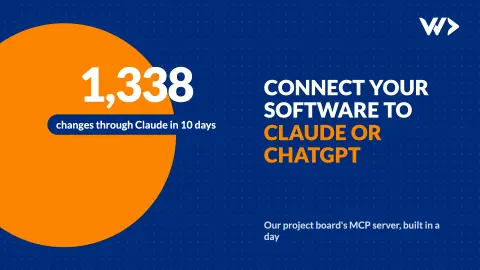
Connect Your Software to Claude or ChatGPT: What an MCP Server Takes
An MCP server lets Claude or ChatGPT read and update your own software. We built one for our project board in a day: 1,338 changes in its first 10 days. How it works and what to get right.

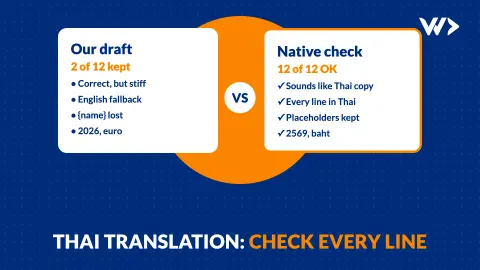
Translating Your Website Into Thai: Why Every Line Needs a Native Check
We translated 12 lines of our own site into Thai. A native speaker rewrote 10 of them, and found a broken placeholder, the wrong year and the wrong currency. What to check.
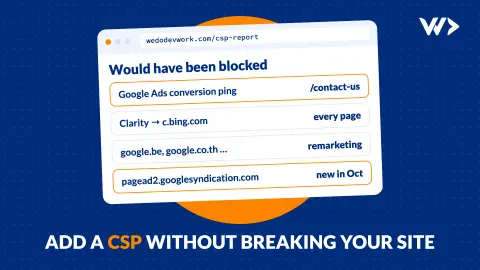
Adding a Content-Security-Policy Without Breaking Your Site
A scan says your site has no CSP. Don't just add the header: how report-only mode works, what it caught on our own site, and a safe six-step rollout.


