SEO for Developers: What to Build In From Day One


In short: build SEO in from the first commit. Serve the main content and real links in the HTML, keep pages fast (LCP, INP and CLS), give every page its own title and a meta description of 150 to 160 characters, redirect every moved URL once, and tell search engines when pages change, with a sitemap for Google and IndexNow for Bing. The checklist below covers the rest.
Where marketing and code finally meet
If you’ve ever built a website and heard someone say, “We’ll handle the SEO later,” you already know how that ends. Later never really comes. SEO isn’t a last-minute checklist after launch. It starts in your code, in how your pages are structured, and in how your data is served to both humans and search engines.
Developers and marketers often live on different planets. Marketers talk about visibility, keywords, and conversions. Developers talk about bundles, SSR, and database queries. But when those worlds overlap, great things happen. Websites load faster, rank higher, and bring in more visitors without extra ads or tricks.
SEO is not about gaming Google. It’s about making sure your site can be understood. And when the code is clean, structured, and fast, everyone wins.
Why SEO matters to developers
Most developers care about performance, not page rank. But here’s the catch: both are connected. A slow page can drop your search ranking just like a bad keyword. A missing title tag or wrongly implemented redirect can make a whole product page disappear from Google overnight.
Good SEO is simply good engineering. It’s logical structure, readable URLs, and a website that doesn’t confuse crawlers or users. A well-coded site makes the marketer’s job easier, and your own life easier when you need to debug or scale.
The basic stuff (that’s worth knowing anyway)
Let’s start with a few basic ideas. Understanding these will already put you ahead of many developers who think SEO is just “meta tags and blog posts.”
Crawling is how search engines discover pages on your website. They follow links and read your sitemap to find what exists. If your content is hidden behind authentication, JavaScript routing, or infinite scroll, it might never be crawled.
Indexing means the search engine actually saves and lists your page in its database. A crawled page is not automatically indexed. If Google finds errors, duplicated content, or thin content, it might skip it.
Rendering is what happens after crawling. Google tries to see your page like a user would. For a static site, that’s easy. For a React or Svelte app that loads content with API calls, this can be tricky. Sometimes Google doesn’t wait long enough for your JavaScript to finish.
On-page SEO is what users and search engines both see: your title tags, descriptions, headers, and content. This is the layer marketers tweak the most.
Technical SEO is everything that supports it under the hood: sitemaps, redirects, schemas, structured data, canonical URLs, and performance. This is where developers have the biggest impact.
So if you ever wondered where marketing meets code, it’s right here: between on-page and technical SEO.
And there’s now one more reason to care: large language models like ChatGPT, Gemini, and Perplexity increasingly use the web as a base for their answers. When your website ranks high and has clean, structured data, it’s not just Google or Bing that notices. LLMs also pull from those same pages when they generate answers. Better SEO means your brand is more likely to be mentioned, quoted, or linked when people use AI to search.
Google is explicit about this for its own AI features. Its documentation on AI Overviews and AI Mode says there are no additional requirements to appear in them, no special optimizations, and no special schema.org markup or AI-specific files. A page only needs to be indexed and eligible to be shown in Search with a snippet. So there is no separate "AI SEO" checklist for Google: the eight points below are the work.
Eight practical things developers can do for SEO
1. Make it fast
A fast site doesn’t only make visitors happy, it directly affects rankings. Google measures real-world experience with the three Core Web Vitals: LCP (Largest Contentful Paint), INP (Interaction to Next Paint), and CLS (Cumulative Layout Shift). These sound fancy, but they’re really about one thing: how quickly users can see and interact with your page, and whether it jumps around while they do.
One correction to how this was often described: INP replaced FID (First Input Delay) as a Core Web Vital in March 2024, so FID is no longer the metric to optimise. Google lists these "good" targets, measured at the 75th percentile of real page loads, split by mobile and desktop:
| Metric | Measures | Good |
|---|---|---|
| LCP | Loading speed | 2.5 seconds or less |
| INP | Responsiveness to clicks, taps and keys | 200 ms or less |
| CLS | Visual stability | 0.1 or less |
Be realistic about the ranking effect. Google calls good Core Web Vitals part of page experience, which it says aligns with what its core ranking systems seek to reward, but it publishes no weight. Treat speed as a strong reason to build well and as a tie-breaker, not a trick that lifts thin content. You can check your real numbers in the Core Web Vitals report in Search Console, or run a free check with EngineeringScore, which audits performance, SEO, security and accessibility.
Compress your images before upload, not after. Use WebP or AVIF formats when you can. Minify your CSS and JS. Cache aggressively. Serve static assets via CDN. Lazy load heavy components like maps or carousels only when visible. The goal is simple: get the main content on screen within Google’s 2.5 second LCP target, on a mid-range phone and not only on your laptop. It’s doable, even on a small budget, if you care enough to measure it.
2. Use proper headings
Your <h1> is the title of the story. There should only be one per page. Then come your <h2> and <h3> elements for structure. Think of it as a family tree: clear parents, children, and siblings. To be precise, Google says heading order doesn’t matter for Search, and a page with several <h1> tags won’t be penalised. Keep one anyway: it is clearer for screen-reader users and for the next developer.
Headings are not a styling choice. They tell Google and users what’s important. A blog post with ten <h1> tags looks like ten competing topics. Use headings logically, not visually. Style them in CSS instead of abusing hierarchy for font size. When done right, your content becomes easier to scan and much easier to index.
3. Don’t block crawlers by accident
Many websites never get indexed simply because someone forgot to remove noindex or disallowed / in robots.txt. It happens more than you think. Always check these before launch.
One more trap: robots.txt is not a way to keep a page out of Google. Google says a disallowed page can still show up in results if other sites link to it. To keep a page out, use a noindex meta tag or HTTP header, and note that Google has to be able to crawl the page to see that tag.
If you use frameworks like Next.js or SvelteKit, make sure dynamic routes like /blog/[slug] are actually discoverable via a sitemap or server-side rendering. Don’t assume Google will magically figure it out. It won’t. Also, remember that search engines can’t log in, so anything behind authentication or paywalls is off limits.
4. Generate clean URLs
URLs are like street names. If they’re short and logical, people and crawlers both understand them. /hotels/bangkok says everything. /index.php?id=82&ref=abc says nothing.
Use hyphens instead of underscores. Keep URLs lowercase. Avoid unnecessary parameters unless they’re essential for filtering. Once you set a structure, don’t change it too often. If you must, redirect properly (see next point). Consistency builds trust, for users and for crawlers.
5. Handle redirects properly
Redirects are like moving houses. When you change an address, you leave a note at the old one. That’s what a permanent redirect (301 or 308) does: it tells search engines, “Hey, this content lives over there now.” It helps users land on the right page and keeps your SEO power from getting lost. Google shows the new target in results for permanent redirects, but keeps the original URL for temporary ones (302, 303, 307), so use a temporary redirect only when you really plan to revert it. Avoid JavaScript redirects unless you have no server-side option; Google calls them a last resort because rendering can fail.
But here’s the thing, most people overcomplicate it. Avoid creating redirect chains. Don’t send people through three URLs before they land on the right one. Just go from old to new in one step. And if you’re doing a redesign, keep a list of your old URLs. Map them to the new ones. It takes an hour but saves you months of lost traffic.
6. Make it crawlable
Modern SPAs are great for users, but tough for crawlers. If your content only appears after JavaScript renders, Google might miss it, or index it late. Google does render JavaScript with a headless Chromium, but only once its resources allow, and not every other crawler can run scripts at all. Server-side rendering (SSR) or static prerendering solves that. It gives search engines an already-built HTML version to read.
If SSR isn’t possible, use prerendering services or export your pages statically. Another trick is to ensure your critical content appears in the initial HTML before hydration. Links must be real <a href> elements: Google only discovers links that are. A click handler on a <div> is invisible to it. Also return a real 404 status for missing pages, or Google may treat your client-rendered error page as a soft 404. Think about crawlers as text-only browsers. If they can’t see your data without scripts, you’re invisible.
7. Add metadata and structured data
Your <title> and <meta description> are the headlines people see in search results. They don’t just tell Google what’s on your page; they also convince users to click. Keep them concise and clear.
Beyond that, structured data (JSON-LD) helps search engines understand context. For example, marking up your blog post with @type: "Article" or your product with @type: "Product" can get you rich snippets: the nice boxes with reviews, images, and prices. It’s basically giving search engines extra clues. Be honest about what it buys you: Google says Article markup has no required properties and is not needed for eligibility, and structured data makes pages eligible for rich results rather than guaranteeing them. Useful Article properties are the author, datePublished and dateModified (ISO 8601), headline and images. On titles and descriptions, Google asks for text that is unique to the page, clear and concise; it may rewrite the snippet from your page content anyway.
8. Build for users, not just crawlers
It’s easy to get lost in the technical side, but SEO is still about humans. A readable layout, simple navigation, and responsive design are more valuable than any keyword stuffing.
If users bounce because the font is too small or the mobile view is broken, your rankings drop. Make content scannable, add internal links with descriptive anchor text where it makes sense, and test your site on actual phones, not just in dev tools. The better the experience, the more people stay, share, and link.
And that’s real SEO.
A pre-launch SEO checklist for developers
- No stray
noindexand noDisallow: /left over from staging. - Every indexable page returns 200, with its real content in the initial HTML.
- Missing pages return a real 404; moved pages return a single permanent redirect.
- One canonical URL per page, one unique title and meta description per page.
- Internal links are
<a href>elements; the sitemap lists the URLs you want indexed. - LCP, INP and CLS are green for real users on mobile.
- Language versions agree on URL pattern and canonicals (see SEO for a digital product).
Don't forget Bing: meta descriptions and IndexNow
Most developers only open Google Search Console. In November 2026 we ran our own site through Bing Webmaster Tools and it found 61 issues on 59 pages. Almost all came from one line in our code: service pages used their short card text, 60 to 100 characters, as the meta description. One helper that picks the longer text and fits it to 160 characters fixed them all, plus 178 descriptions that were too long.
The other quick win was IndexNow: a key file at the site's root and a small script that submits changed URLs after each publish. Bing, Yandex and other engines then recrawl those pages right away; Google does not use it. The whole report, step by step, is in Bing Webmaster Tools: what to fix first.
Which approach should you choose?
| Situation | Rendering | Why |
|---|---|---|
| Content site, blog, brochure | Static or prerendered | Fastest, simplest, fully crawlable |
| Shop or catalogue with changing data | SSR (SvelteKit, Next.js) | Fresh HTML per request, good LCP |
| Logged-in app or dashboard | Client-side is fine | Nothing there should be indexed |
| Existing SPA that must rank | Add SSR or prerender key pages | Stops relying on late JS rendering |
Rule of thumb: if a page should rank, its main content and links must be in the HTML the server sends. We build our own site this way with SvelteKit, and hosting choices matter too, see frontend hosting alternatives.
Common SEO questions from developers
Does SEO need to be redone after a redesign or replatform? Not redone, but protected: map every old URL to its new one with a single redirect. MigrateXtoY has migration guides and effort estimates if you are moving platforms.
Is a site that is slow or down hurting me? Yes, both. If your site is offline right now, start with what to do when your website is offline or get emergency help.
Want it checked? Run our website check, see premium websites, or our pricing. For larger rebuilds, look at projects or dedicated staff.
When marketing and dev actually work together
The best results happen when marketing and development collaborate early. Before you decide how to structure routes, how to name folders, or how to serve content, talk about SEO. Agree on URL patterns, language handling, and canonical logic before the code is live. When devs understand SEO, marketing stops being a mysterious afterthought. It becomes teamwork. And that’s when websites start performing: not just technically, but in the real world, with actual visitors.
In short
SEO isn’t a layer you add on top of a finished project, it’s something you build in from day one. It’s not about pleasing Google, it’s about helping people find what they’re looking for.
And when the code and the content play well together, you’ll spend less time fixing, more time building, and your websites will finally get the traffic they deserve.
With We Do Dev Work, you don’t have to figure it out alone. We help you combine clean, structured code with SEO best practices so your site ranks, performs, and delivers results.
Start building websites that work for both users and search engines, reach out today and see what We Do Dev Work can do for your project.
Sources
- web.dev: Web Vitals
- Google Search Central: Core Web Vitals
- Google Search Central: SEO starter guide
- Google Search Central: AI features and your website
- Google Search Central: JavaScript SEO basics
- Google Search Central: Article structured data
- Google Search Central: Redirects
- Google Search Central: Robots.txt introduction
Frequently asked questions
Does page speed affect Google rankings?
Google says good Core Web Vitals align with what its ranking systems reward, but it gives no weight. Treat speed as important for users and a tie-breaker, not a shortcut.
What replaced FID in Core Web Vitals?
Interaction to Next Paint (INP) replaced First Input Delay in March 2024. The good thresholds are LCP 2.5 s, INP 200 ms and CLS 0.1 at the 75th percentile.
Can Google index JavaScript-rendered content?
Yes, it renders pages with headless Chromium once resources allow, but it can be delayed and other bots may not run JavaScript. SSR or prerendering is safer for pages that must rank.
How do I appear in Google AI Overviews?
Google says no extra requirements, special optimization or schema are needed. Your page must be indexed and eligible to show in Search with a snippet.
Does robots.txt keep a page out of Google?
No. A disallowed page can still appear if other sites link to it. Use a noindex meta tag or header, and let Google crawl the page so it can see it.
Is structured data required to rank?
No. For Article markup Google lists no required properties. Valid structured data makes a page eligible for rich results but does not guarantee them.
Should developers care about Bing?
Yes, a little. Bing's index also feeds Copilot, DuckDuckGo and ChatGPT's web search. Add the site to Bing Webmaster Tools, set up IndexNow, and fix what its Recommendations page lists; it often points at template problems such as short meta descriptions.
Related articles
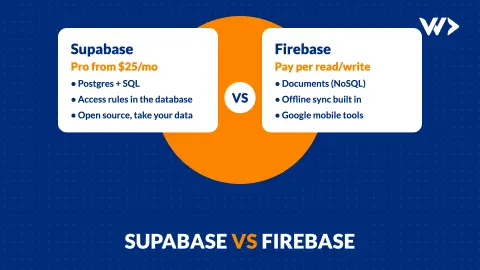
Supabase vs Firebase (2026): Which One for Your App?
Supabase or Firebase in 2026? A comparison from a team running three products on Supabase: data model, security, prices checked 19 Nov 2026, and how to choose.

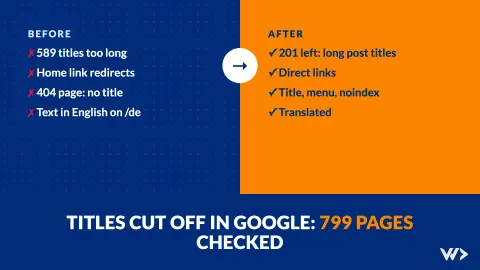
Page Title Cut Off in Google? What We Fixed on 799 Pages
Google cut off 589 of our 799 page titles. How we found it, the one-line rule that fixed most of them, and four other site errors to check on your own site.
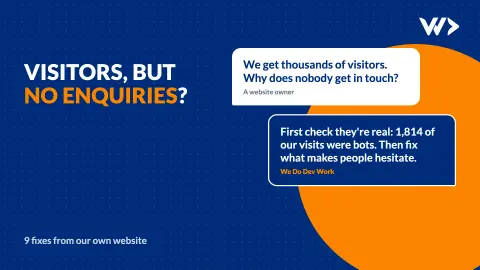
Website Visitors but No Enquiries? 9 Fixes From Our Own Site
Visitors but few enquiries? We reviewed our own site with real visitor data: bot traffic, mixed currencies, a required phone field and 6 more fixes.