Webshop Down on Black Friday 2026? What to Do First

Short answer: Black Friday 2026 is on Friday 27 November, and Cyber Monday on 30 November. If your webshop goes down or the checkout stops working during the sale, do not start changing things at random. First check whether the problem is yours or your platform's, undo the last change made before it broke, and pause the ads and emails that send more people to a broken shop. If the cause is not clear within 15 minutes, call a developer: every hour of a Black Friday outage costs more than the fix. Below is the checklist we use ourselves, a table of symptoms and causes, and the mistakes that turn a one-hour problem into a lost weekend.
Why shops break on Black Friday, of all days
Between 20 and 26 October 2026 we scanned the homepages of 1,482 Shopify and WooCommerce shops before Black Friday. The numbers explain why so many shops wobble on their busiest weekend:
25% had JavaScript errors that stop code from running, and 41% had requests that failed. On a normal day nobody notices. On Black Friday it can be the discount field or the checkout button.
29% loaded a JavaScript library with a publicly known vulnerability, usually through a theme or plugin that had not been updated.
The median homepage made 337 requests to 15 different companies: reviews, chat, pop-ups, tracking, ads. Each one is a part that can slow down or fail under load.
23% of homepages took more than 10 seconds to finish loading, on a fast connection.
Add a traffic peak and a few last-minute changes, and a shop that coped all year falls over on the one day it matters. The full results are in what we found in 1,482 webshops.
The first 15 minutes: a checklist
Check that it is really down. Open the shop on your phone over mobile data, not on the office wifi, and in a private window. Place a test order up to the payment step. Note the exact time and take screenshots of any error.
Check your platform and payment provider. On Shopify, look at the Shopify status page. For payments, open the status page of your payment provider. If they have an incident, there is nothing to fix on your side: tell your customers and wait.
Undo the last change. Did anyone install an app or plugin, update the theme, change shipping rules or add a discount today? Undo that first. Most Black Friday outages we see start with a change made in the last 24 hours.
On WooCommerce, check the server. Log in to your hosting panel and look at CPU, memory and any "resource limit reached" messages. A white screen or "There has been a critical error on this website" usually means a plugin or PHP error; WordPress then sends a recovery email to the admin address.
Pause what sends traffic. Pause paid ads and postpone the next email or push campaign until the shop works. Paying for clicks that land on an error page is money twice lost.
Tell your customers. A short message on your social channels or a banner ("Checkout problem, fixing it now, your discount stays valid") keeps people from going to a competitor for good.
Write everything down. What happened, when, what you changed. Whoever fixes it will ask for exactly this.
Symptom, likely cause, what to do
| What you see | Likely cause | What to do now |
|---|---|---|
| Whole site shows an error (500, 503 or a white screen), WooCommerce | Server out of resources, or a plugin or PHP error after an update | Check the hosting panel; disable the last plugin you changed; ask your host for temporary extra resources |
| Site works, checkout fails or spins | Payment app or checkout extension, a payment provider incident, conflicting discount rules | Check the provider's status page; turn off the last checkout app; test another payment method |
| Customers paid, but orders stay "pending" or are missing | The payment provider cannot reach your shop (webhooks failing) | Compare payments in the provider dashboard with your orders; do not refund or cancel until you know which orders are real |
| Discount code "not valid" | Wrong dates, usage limits, or codes that cannot be combined | Check the code settings, including the time zone of the start date; test in a private window |
| Pages extremely slow | Heavy images, autoplay video, too many third-party scripts under load | Switch off pop-ups, chat and non-essential widgets for the weekend; replace a hero video with an image |
| Shop down only for some visitors, or a security warning | An expired SSL certificate, DNS or CDN settings | Check the certificate date and recent DNS changes; ask your host or domain provider |
For checkout problems specifically, see WooCommerce or Shopify checkout not working. For slow pages, website suddenly very slow has the 15-minute checks.
What not to do during the sale
Do not restore an old backup without thinking. On WooCommerce, orders live in the same database as the rest of the site. Restoring this morning's backup also deletes every order placed since. Export the new orders first, or let a developer restore only what broke.
Do not update plugins, apps or the theme to "see if it helps". That is how a small problem becomes a second one.
Do not install a new app or plugin to work around the problem. You add code nobody has tested under load.
Do not send passwords by email or chat to whoever helps you. Use a password manager's share function, or create a separate admin account you delete afterwards.
When to call a developer, and what to have ready
Call for help when the steps above do not show the cause within 15 minutes, when you see server errors, or when payments and orders do not match. Those are not problems to experiment with during your busiest hours.
Have this ready, and the fix starts faster:
admin access to the shop and access to the hosting panel (WooCommerce) or a staff account (Shopify);
access to the payment provider dashboard;
the time it started, screenshots of errors, and the list of changes made in the last days;
which payment methods, discount codes and campaigns are live.
Our prices for weekend help
Our emergency help costs $85 an hour for a senior developer, starts the same day, with no minimum and no intake. Help outside office hours is possible; on Saturday and Sunday the rate is $127.50 an hour (plus 50%). We sign an NDA when you need one. For a calmer start next time, a strip card gives you 14 prepaid hours for $1,050 and we start within 24 hours; a monthly subscription from $550 includes updates and monitoring, so many of these problems are caught before a sale starts. See what an emergency developer costs for how this compares with freelancers and agencies.
After the weekend
When the rush is over, write down what broke and why while you still remember. Then fix the cause, not only the symptom: remove the apps you no longer use, update what stays, test the checkout on a phone with every payment method, and agree on a change freeze a week before next year's sale. Our Black Friday checklist walks through that preparation week by week.
Shop down right now? Get emergency help: tell us what you see, and a senior developer starts today.
Frequently asked questions
When is Black Friday 2026?
Black Friday 2026 is on Friday 27 November, the day after Thanksgiving in the US. Cyber Monday follows on 30 November.
My webshop is down on Black Friday. What should I do first?
Check that it is really down on your phone over mobile data, look at your platform's and payment provider's status pages, and undo the last change made before it broke. If the cause is not clear within 15 minutes, call a developer.
Should I restore a backup if my WooCommerce shop breaks during the sale?
Not without exporting new orders first. Orders are stored in the same database, so restoring a backup from this morning deletes every order placed since.
Customers paid but the orders are not in my shop. What happened?
Usually the payment provider cannot reach your shop to confirm the payment, for example because of a failing webhook. Compare the provider dashboard with your orders before refunding or cancelling anything.
How fast can We Do Dev Work help during Black Friday?
Emergency help starts the same day with a senior developer, at $85 an hour with no minimum. On Saturday and Sunday the rate is $127.50 an hour.
How do I prevent this next year?
Remove unused apps and plugins, update what stays, test the checkout with every payment method, and freeze changes a week before the sale. A maintenance subscription with monitoring catches many problems before the rush.
Related articles
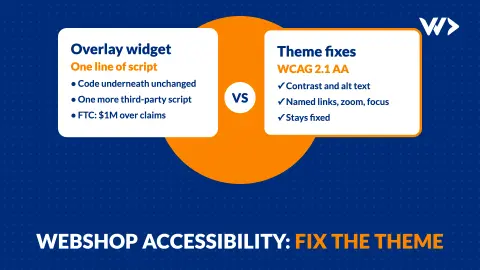
Webshop Accessibility (EAA): What to Fix, Why Overlays Fail
What the European Accessibility Act means for your webshop: the 7 technical fixes most shops need, real scan numbers, and why an overlay widget is not the fix.

Website Hacked? When to Report a Data Breach in 72 Hours
Your website was hacked and it stores customer data. Do you have to report it within 72 hours? How to decide, what to collect, and where to report it.
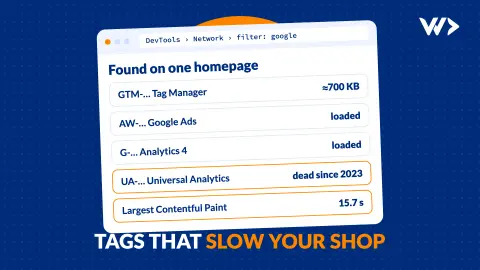
Google Tag Manager Slowing Down Your Shop? Clean Up Tags Safely
A real webshop scan: 547 requests, four Google IDs and an LCP of 15.7 seconds on a phone. How to find which tracking tags slow your shop and remove them without losing your data.